Datalogic Falcon & Skorpio Repair: Common Faults and How to Get Them Fixed Right
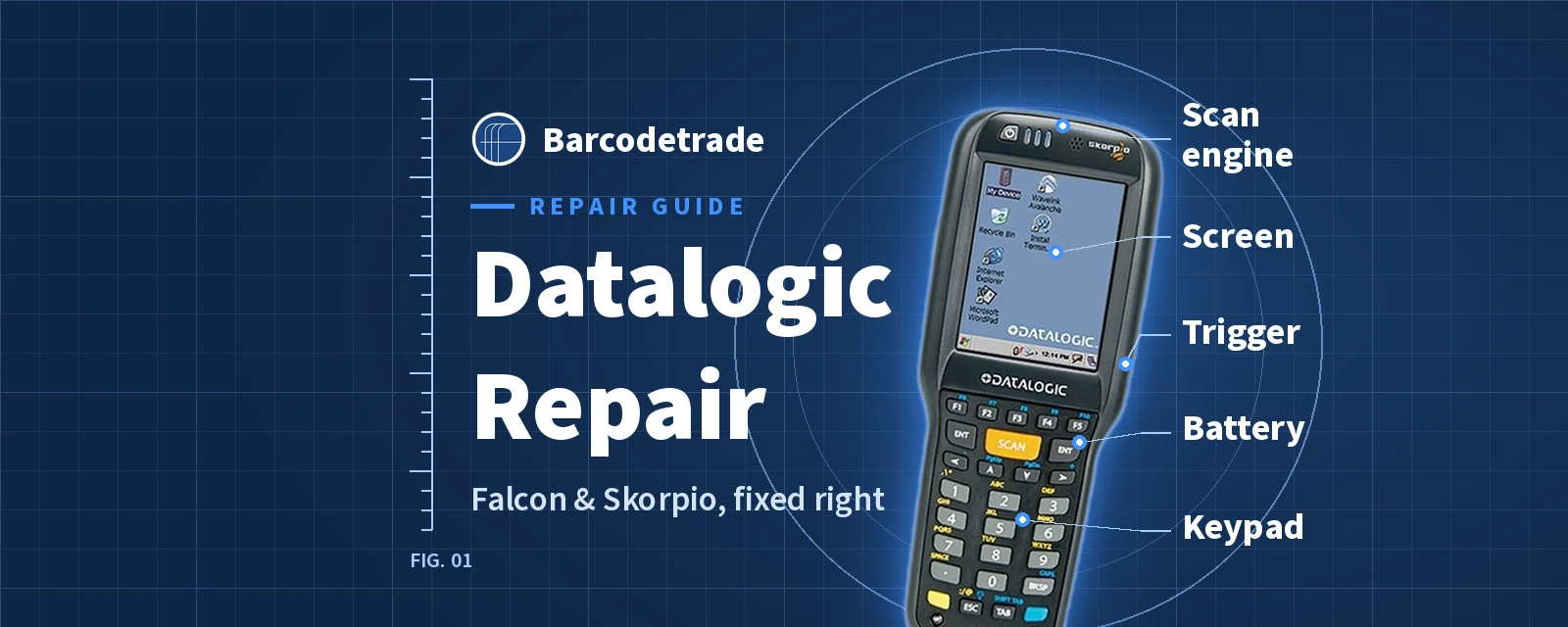
Datalogic Falcon and Skorpio mobile computers are built for long working lives in warehouses, distribution centres and on shop floors. That long life is exactly why so many are still in service, and why a worn trigger, a tired battery or a scratched scan window shouldn't mean replacing the whole device. This guide covers the faults we see most often on Falcon X3, Falcon X3+, Falcon X4, Skorpio X3, Skorpio X4 and Skorpio X5 devices, the checks worth doing first, how to decide between repair and replacement, and how to book an expert Datalogic repair with our repair service.
The Datalogic models we support
We support the full range of Datalogic mobile computers listed in our Datalogic catalogue, including:
Falcon X3 and Falcon X3+. Gun, brick and pistol-grip formats with 29-key numeric or 52-key alphanumeric keypads, laser, 1D and 2D scan engines, and Windows CE or Windows Embedded Handheld 6.5.
Falcon X4. Brick and gun formats with numeric, function-key and alphanumeric keypads, 1D or 2D imagers, and Windows Embedded Compact 7 or Android.
Skorpio X3, Skorpio X4 and Skorpio X5. Compact handhelds with numeric, functional and full alphanumeric keypads, in batch and Wi-Fi versions.
Memor 10, Memor 20, Memor K and Memor X3.
Many of these devices run Windows CE or Windows Embedded operating systems that newer hardware no longer uses. Legacy device support is part of our repair service, so an older fleet can keep working with the software it was built around.
Common faults on Datalogic Falcon devices
Falcon devices are used for heavy, continuous scanning, often as gun-style units that are pointed, knocked and docked again and again. The faults we see most often are:
Worn or sticking triggers. On gun and pistol-grip Falcon X3 and Falcon X4 units, the trigger takes the most use. A trigger that sticks, needs a hard press or does nothing at all usually needs replacing.
Worn keypads. On 29-key and 52-key keypads, the keys used most often wear, stick or stop responding. Keypad replacement brings the device back to full use.
Scan engine faults. If the device powers on but won't fire or won't decode, the scan engine may need recalibrating or replacing.
Scratched or cracked scan windows and screens. Knocks against racking and pallets can cloud the scan window and crack the display or digitiser.
Battery and charging problems. Packs lose capacity with age, and dirty or damaged charging contacts on the device or the cradle stop a clean connection.
Housing damage after drops. Cracked housings can let dust and moisture in, so they're worth fixing early.
Common faults on Datalogic Skorpio devices
Skorpio devices are compact handhelds that are often carried throughout a shift and used one-handed. The most common faults are:
Keypad wear. On 28-key, 38-key and full alphanumeric keypads, heavily used keys can stop responding.
Scan button and scan engine faults. No beam or no read when you press scan can point to the button, its connection or the engine itself.
Screen and touch problems. Cracked displays, dead touch areas or poor touch accuracy need screen and digitiser replacement and touch calibration.
Battery and charging faults. A device that runs down early, won't charge or charges only in one position often has a worn battery or dirty charging contacts.
Wi-Fi and Bluetooth faults. Dropped connections after a drop or long use can need a wireless repair.
Quick checks before you send a device in
Try a battery you know is good in a cradle you know works.
Gently clean the charging contacts on the device and the cradle with a dry, lint-free cloth.
Test with a clean, well-printed barcode, and check that the barcode type is enabled.
If the fault started after a settings or software change, look at the configuration before you suspect the hardware.
Stop using any battery that is swollen, unusually hot or damaged.
If a good battery won't charge in a good cradle, or the device still won't scan, the fault is inside the device and needs a bench repair. For more general checks, see our guide on what to do when a barcode scanner is not working.
What our Datalogic repairs cover
Our technicians carry out component-level repairs on Datalogic scanners and mobile computers, including:
Scan engine and laser recalibration
Trigger, keypad and casing replacement
Screen and digitiser replacement and touch calibration
Battery health checks and replacement
Battery and charging repairs
Wi-Fi and Bluetooth repair
Mainboard diagnostics and chip-level repair
Housing repairs and cosmetic restoration
Repairs keep the device's original rugged specifications and IP ratings. Devices are securely wiped before repair work begins, and we can provide certificates of data destruction when you need them.
Batteries, cradles and similar accessories are replaced rather than repaired. Liquid damage isn't covered under our standard warranties or support contracts, but our comprehensive contracts give broader cover.
Repair or replace? How to decide
Is it the device or an accessory? If the fault is a worn battery or a failed cradle, replacing that part is usually all you need, and the device can carry on working.
Do you know what the repair involves? If you're not sure, choose Assess & Quote. Our technicians run a full diagnostic and give you an itemised quote before any work starts, so you can compare repair with replacement.
Does the rest of your fleet use the same model? Keeping a Falcon or Skorpio fleet on one model keeps your software, accessories and training the same. Repairing a device is often simpler than bringing a new model into a matched fleet.
Is it beyond economic repair? Sometimes a repair isn't worth it. If so, we can supply a refurbished replacement, cleaned, tested and updated through our refurbishment process. Devices you no longer need can go through our buy-back programme, working or not, or our ITAD service, instead of going to landfill.
Do you need cover while devices are away? Our rental service supplies fully configured and tested barcode scanners, including Datalogic models, and mobile computers to cover projects, peaks or equipment failure.
Repair options to suit your fleet
Comprehensive Contract: annual cover for all your devices with priority processing, built for enterprise operations that need predictable budgets.
Repair Tokens: buy tokens upfront and use one per repair, whatever the fault.
Assess & Quote: a full diagnostic and itemised quote before you commit.
Repair & Quote: we fix it first, then quote for the completed work.
Tiered Options: Basic, Professional or Premium service levels, or a custom plan.
Every repair comes with our warranty on parts and labour, with longer cover on our Professional and Premium plans.
How to book a Datalogic repair
Request an RMA. Call 01252 511409 or email info@barcodetrade.co.uk to get a Return Material Authorisation number. It lets us track your device through the repair.
Send it to us. Pack the device securely, include your RMA form and send it to our service centre in Farnborough with your preferred courier.
Get it back working. Our technicians diagnose and repair the device at the service level you chose, then ship it back to you.
The sustainability case for repair
Most of a device's carbon footprint comes from manufacturing it, not from using it. Every Falcon or Skorpio you repair instead of replacing avoids the footprint of building a new one. Through repair, refurbishment, rental, buy-back and responsible ITAD, Barcodetrade has saved 950,000+ devices from landfill and prevented 350,000 kg CO₂e. To estimate your own impact, use our CO₂ calculator: choose mobile computer, select "Repair" and enter a quantity.
Book your expert Datalogic repair
Barcodetrade has supported barcode hardware from Farnborough since 2005. Our technicians repair Datalogic devices alongside Zebra, Honeywell and other major brands. Whether you have one Falcon X4 with a failed trigger or a whole Skorpio fleet that needs attention, we'll help you decide what to repair, what to refurbish and what to retire.
Start a repair or get a quote. Call 01252 511409, email info@barcodetrade.co.uk or contact us.
Frequently asked questions
Which Datalogic devices do you repair?
We repair Datalogic mobile computers, including the Falcon X3, Falcon X3+, Falcon X4, Skorpio X3, Skorpio X4, Skorpio X5 and Memor ranges, as well as Datalogic barcode scanners. Older Windows CE and Windows Embedded models are included.
What are the most common Datalogic Falcon faults?
On Falcon X3 and Falcon X4 devices, the most common faults are worn triggers on gun-style units, worn keypads, scan engine faults, scratched scan windows, cracked screens and battery or charging problems.
Can you repair a Skorpio X4 keypad or screen?
Yes. We replace keypads, screens and digitisers, and calibrate touch screens, on Skorpio X3, Skorpio X4 and Skorpio X5 devices.
Do you repair Datalogic batteries and charging cradles?
No. Batteries, cradles and similar accessories are replaced rather than repaired. We can repair charging faults inside the device itself.
Is it worth repairing an older Datalogic mobile computer?
Often, yes, especially if the rest of your fleet runs the same model. Our Assess & Quote service gives you a full diagnostic and an itemised quote before any work starts, so you can compare repair with replacement. If a device is beyond economic repair, we can supply a refurbished replacement or buy back the old unit.
What happens to the data on my device during a repair?
Devices are securely wiped before repair work begins, following GDPR standards, and we can provide certificates of data destruction when required.