Bluetooth Barcode Scanners for Warehouses: A UK Buyer's Guide to Cordless Scanning
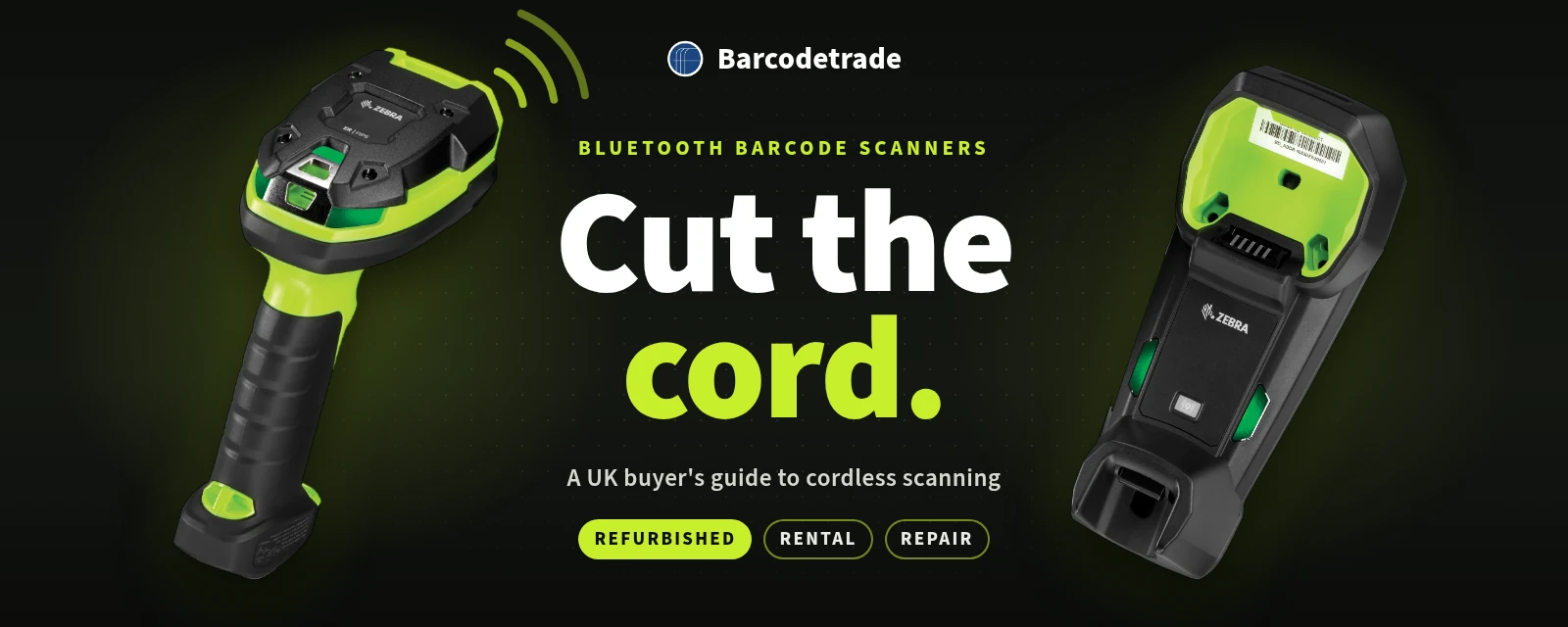
Cutting the cable on a barcode scanner sounds like a small decision. In a warehouse it changes how people move, how goods-in desks are laid out, how batteries are managed and how your IT team supports the fleet. Choose well and pickers, packers and receivers work faster with fewer interruptions. Choose badly and you get dropped connections, flat batteries and scanners paired to the wrong workstation.
This guide is for operations, IT and procurement teams choosing enterprise Bluetooth and cordless barcode scanners. It covers how wireless scanners connect, how to plan range and roaming across a site, how to run many scanners side by side, how to manage batteries and cradles, and which rugged and freezer-capable models from Zebra, Honeywell and Datalogic we list today. It finishes with a step-by-step deployment plan and the choice between refurbished, rental and expert repair.
Barcodetrade, the trading name of Fala Ltd, supports barcode hardware across its whole lifecycle from our Farnborough service centre, with more than 10,000 scanners serviced. Through repair, refurbishment, rental, buy-back and responsible ITAD, we have saved 950,000+ devices from landfill and prevented 350,000 kg CO2e. That lifecycle view shapes the advice below.
Bluetooth scanner, corded scanner or Wi-Fi mobile computer?
Before you compare models, decide which class of device the job needs. The three options solve different problems.
Corded scanner | Bluetooth or cordless scanner | Wi-Fi mobile computer | |
|---|---|---|---|
How it connects | Cable to a PC, terminal or tablet | Radio link to a cradle, base station, PC, tablet or mobile computer | Directly to your Wi-Fi network and warehouse management system |
Where the data goes | The host it is plugged into | The host it is paired with | Your back-end systems, with its own screen and apps |
Best for | Fixed desks, packing benches, goods-in stations | Moving around a bay, pallet or vehicle while a nearby host does the processing | Picking, putaway and stock counts across the whole site |
What to manage | Cables and connectors | Pairing, range, batteries and cradles | Wi-Fi coverage, apps, operating system and security updates |
A cordless scanner extends a workstation; it does not replace it. If staff need to see a pick list, confirm a quantity or work far from any fixed host, a rugged mobile computer from our mobile computers page is the better fit. If they stay within reach of a packing bench, a desk PC or a vehicle-mounted terminal, a Bluetooth scanner gives freedom of movement without the complexity of a full computer in every hand.
Many sites use both. A ring or wearable scanner paired to a mobile computer, for example, keeps both hands free while the computer handles the screen and the Wi-Fi.
How a wireless barcode scanner works: pairing modes and hosts
"How does a wireless barcode scanner work?" is one of the most common questions buyers search for. The scanner reads the barcode exactly as a corded unit would. The difference is the link that carries the decoded data to the host. Enterprise cordless scanners support several ways to make that link, and the one you choose affects setup, reliability and support.
Cradle or base station mode
The scanner pairs with its own charging cradle or base station, and the cradle connects to the host by cable. To the host, the cradle looks like a corded scanner. This is the most predictable mode for fixed workstations: no Bluetooth drivers on the PC, one cradle per scanner, and the scanner charges in the same place it is paired. Kits we list include the Zebra DS8178 with a standard or presentation cradle, the Zebra DS3678 with its cradle, the Honeywell Voyager 1202g with its Bluetooth base cradle, and the Honeywell 1902GHD with its charge and communication base.
Proprietary radio base station
Some industrial ranges use a dedicated radio link to their base station rather than Bluetooth. The Datalogic PowerScan PM9500 and PM9300 cordless scanners in our live stock are listed with radio-frequency connectivity, and their base station cradles offer multi-interface connections (RS232, USB and keyboard wedge). These are worth considering where many Bluetooth devices already share the same space.
HID keyboard mode
In HID (human interface device) mode the scanner pairs directly with a PC, tablet or mobile computer and behaves like a Bluetooth keyboard. Scanned data appears wherever the cursor is. It needs no extra software, which makes it popular for tablets and mobile computers, but every host must be paired individually, and some tablets hide the on-screen keyboard while a Bluetooth keyboard device is connected.
SPP serial mode
In SPP (serial port profile) mode the scanner appears to the host as a serial port, and an application reads the data directly. It suits warehouse and line-side software written to expect a serial input, and avoids data landing in the wrong field. It does need the application and host to be configured for it.
Rule of thumb: use cradle or base station mode for fixed workstations, HID mode for tablets and mobile computers, and SPP only where your software is built for it. Standardise on one mode per workflow so that every replacement scanner behaves the same way.
Range and roaming across the warehouse floor
Range is the most misunderstood part of cordless scanning. Published figures describe ideal, open conditions. A real warehouse has steel racking, stacked pallets, liquids, cold-store walls and forklifts, all of which absorb or reflect radio signals.
Plan range around the workflow, not the specification:
Keep hosts close to the work. Place cradles and base stations at the end of the aisle or on the packing bench they serve, not in a back office.
Mount base stations high and in the open. A base station on top of a desk or post performs better than one inside a metal cabinet or under a bench.
Walk the route before you deploy. Scan test labels at the far end of each aisle, behind racking and inside any cold store. Note where the scanner gives an out-of-range alert.
Use the feedback. Enterprise cordless scanners give audible, visual and, on models such as the Zebra DS3678, vibration feedback. Train staff to recognise the out-of-range signal and walk back towards the host.
Choose models built for distance. The Zebra LI4278 cordless linear imager is described on our scanner pages as built for mobile operations with long wireless range. Extended-range imagers such as the Zebra DS3578-ER and Honeywell Granit 1911i with extended range focus are designed to read labels further away, such as high on racking. Reading distance and radio range are different things, so check both.
Bluetooth scanners do not roam between hosts the way a Wi-Fi mobile computer roams between access points. If staff need to scan across a whole site, either give them a mobile computer, or plan zones with a dedicated host in each.
Multi-scanner and multi-point setups
Most warehouses run many cordless scanners in the same space. A little planning stops scanners sending data to the wrong desk.
One scanner, one cradle. For fixed stations, pair each scanner to its own cradle and label both with the station name. When the scanner is returned to the cradle, it reconnects to the right host.
Several scanners, one base station. Some industrial base stations can accept data from more than one scanner. This suits a goods-in bay where a team works from one terminal, but every scan must be identified, so check your software can tell scanners apart.
Shared tablets and mobile computers. In HID mode, make pairing part of the shift-start routine so that each user pairs their scanner with their own device, and unpairs it at the end.
Keep a pairing sheet. Print the pairing and reset barcodes for each model in use and keep them at every station. Most enterprise scanners are paired, unpaired and reset by scanning configuration barcodes, so a sheet removes the need to call IT.
Watch the radio environment. Bluetooth shares the airwaves with Wi-Fi and other wireless devices. Where many devices work together, proprietary radio base stations or a mix of corded and cordless units can reduce interference.
Battery and charging management for cordless fleets
Batteries are the single biggest support issue in a cordless fleet. They wear with every charge cycle, and a worn battery looks like a faulty scanner.
Make charging part of the workflow. A scanner returned to its cradle between tasks stays charged and connected. Mount cradles where staff naturally put scanners down.
Keep spare batteries charged. For models with removable batteries, multi-slot chargers keep spares ready. We list multi-slot chargers for ring and wearable scanners alongside the scanners themselves.
Rotate and retire. Mark batteries with a fitting date, rotate them evenly across shifts and retire packs that no longer last a shift.
Clean the contacts. Label adhesive, dust and warehouse debris build up on scanner and cradle contacts and stop a clean charge. A dry, lint-free cloth is usually enough.
Stop using damaged batteries. Any battery that is swollen, hot or damaged should be taken out of service at once.
Batteries, cradles and similar accessories are replaced rather than repaired. Scanners, cradles and batteries can all be supplied together, so a fleet can be kept on matched accessories.
Rugged, freezer-grade and hands-free cordless options
Every model below is a cordless or Bluetooth scanner named on a live Barcodetrade page. Availability changes, so check live stock or call us for current options.
Brand | Model | Type | Typical warehouse role |
|---|---|---|---|
Zebra | DS2278 | Bluetooth 2D imager | Standard warehouse and goods-in scanning |
Zebra | LI4278 | Cordless linear imager | 1D labels across a wide working area |
Zebra | DS8178 | Cordless 2D imager, cradle kits | Stockrooms, packing benches and front-of-house desks |
Zebra | DS3678 | Rugged cordless 2D imager, IP67 rated | Harsh conditions, including freezer and cold storage |
Zebra | DS3578 | Rugged cordless imager, standard, high-density and extended-range versions | Rough handling and labels high on racking |
Zebra | RS6000 and RS5100 | Bluetooth ring scanners | Hands-free picking, packing and sorting with a mobile computer |
Honeywell | Granit 1911i | Rugged cordless 2D imager, extended range focus | Industrial and racking applications |
Honeywell | Voyager 1202g | Cordless Bluetooth 1D laser | Simple, high-volume 1D scanning |
Honeywell | 1902GHD | Cordless 1D/2D imager kit with base, high-density focus | Small or dense labels |
Datalogic | PowerScan PM9500 | Cordless 2D imager, IP65, radio base station | Heavy industry and manufacturing |
Datalogic | PowerScan PM9300 | Cordless 1D laser, radio base station | Industrial 1D scanning |
Intermec | Linear imager with battery, cradle and Bluetooth adapter | Supporting established Intermec workflows |
Rugged. Rugged cordless scanners are sealed against dust and water and built to survive repeated drops onto concrete. The Zebra DS3678 is IP67 rated and drop resistant, and the Datalogic PowerScan PM9500 is listed as IP65 for industrial use.
Freezer and cold storage. Cold stores are hard on batteries, plastics and displays, and condensation forms when devices move between cold and ambient areas. Our Zebra scanner pages describe the DS3678 series as built to operate reliably in freezer conditions. Pair cold-store scanners with a cradle outside the freezer so they charge and recover at ambient temperature.
Hands-free. Ring scanners such as the Zebra RS6000 and RS5100 are worn on the finger and connect over Bluetooth to a wearable or handheld mobile computer, freeing both hands for picking and packing.
Security. Several Zebra cordless models we list, including the DS3578, DS3678 and DS8178, are supplied with Bluetooth with FIPS in their listed configuration, which matters where your security policy controls wireless devices.
1D or 2D imaging on a cordless scanner
Cordless scanners come in the same scan engines as corded ones: 1D lasers and linear imagers for traditional barcodes, and 2D imagers that read 1D barcodes, QR codes and other 2D symbols. If your suppliers or customers are moving to 2D labels, choose a 2D cordless imager such as the Zebra DS2278, DS8178 or DS3678, or the Honeywell Granit 1911i. For a full check of what your current fleet can read, see our guide to 1D vs 2D barcode scanners for warehouses.
How to deploy a Bluetooth scanner fleet: step by step
1. Map every workflow. List each task, where it happens, the host it feeds (PC, tablet, mobile computer or terminal) and the barcodes involved.
2. Choose the connection mode per workflow. Cradle or base station for fixed stations, HID for tablets and mobile computers, SPP where your software needs it.
3. Select the scanner class. Standard, rugged, freezer-capable, extended-range or wearable, and 1D or 2D.
4. Survey the site. Walk each route with a test scanner and host, including racking, mezzanines and cold stores, and fix host and base-station positions.
5. Build a standard configuration. Set the barcode types to enable, prefixes and suffixes, feedback volume and power-saving settings. Save it as a configuration barcode or file so every scanner is set up identically.
6. Update firmware before go-live. Bring every scanner, cradle and base station to the same firmware level.
7. Pair and label. Pair each scanner with its cradle, base or host, and label both with the station or user name.
8. Pilot in one zone. Run a single team or shift first and record dropped connections, battery performance and any data landing in the wrong place.
9. Train staff. Cover pairing, the out-of-range signal, charging routines and what to do when a scanner stops working.
10. Plan support and spares. Decide how faulty units will be replaced, keep spare batteries and cradles, and record every serial number in an asset register.
Barcodetrade can help with this work. Our rental fleet is pre-configured for your workflow before dispatch, and our software and configuration loading service covers network settings and device setup.
Fleet care: keep cordless scanners reading
Keep scan windows clean. A scratched or dirty window is a common cause of poor reads. Clean with a dry, lint-free cloth.
Check triggers, housings and contacts. Worn triggers, cracked housings and damaged contacts let dust and moisture in and cause intermittent faults.
Keep firmware consistent. Mixed firmware across a fleet causes inconsistent behaviour. Update scanners, cradles and bases together.
Retire accessories, not scanners. Many "faulty" scanners are really worn batteries or damaged cradles. Test with a battery and cradle you know are good before sending a device for repair. Our guide to barcode scanner repair or replacement covers the common checks.
Keep an asset register. Record model, serial number, firmware level and repair history for every scanner, cradle and battery. It makes planning refurbishment, repair and replacement far easier.
Refurbished, rental or expert repair: choosing the right route
Cordless scanners are built to last, and the right support route keeps them working well beyond their first deployment.
Expert repair. When a scanner stops reading, charging or connecting, expert repair at our Farnborough service centre is usually the most sustainable way back to a full fleet. We provide expert Zebra repair, expert Honeywell repair and expert Datalogic repair, including scan engine and laser recalibration, trigger, keypad and casing replacement, mainboard diagnostics and chip-level repair, and battery health checks and replacement. Repairs are warranty protected, with extended warranty options available. See our barcode scanner repair services.
Refurbished. Refurbished cordless scanners let you extend a proven fleet with the same model your staff already know, using the same cradles and configuration. Every unit goes through our six-step refurbishment process, including component replacement, deep cleaning, firmware and software updates and comprehensive testing. Refurbished devices are warranty protected, with extended warranty options available. Find out more about our barcode scanner refurbishment, or read our enterprise guide to refurbished barcode scanners.
Rental. For peaks, stocktakes, new sites and pilots, rental gives you Zebra, Honeywell and Datalogic scanners pre-configured for your workflow, with batteries supplied with chargers and cradles available to rent. It is also an effective way to trial a cordless workflow before a wider rollout. Explore barcode scanner rental.
Buy-back. When you replace a fleet, we buy used barcode scanners in any condition. Every device goes through secure data wiping with certified data destruction before it is refurbished, reused or recycled. Learn about our barcode scanner buy-back programme.
For Zebra models specifically, our Zebra barcode scanners page and our guide to the best Zebra barcode scanners in the UK go into more detail. For every brand, start with our barcode scanner services.
The circular economy case for cordless scanners
Cordless scanners suit a circular approach. The scanner, cradle and battery are separate parts, so a worn battery or damaged cradle can be replaced without retiring the scanner. Repaired and refurbished scanners keep working in the same workflows, rental units are returned, maintained and redeployed, and devices that reach the end of their working life are recycled responsibly.
That approach is how Barcodetrade has saved 950,000+ devices from landfill and prevented 350,000 kg CO2e. To estimate the impact of extending, refurbishing or renting your own scanner fleet, try our CO2 calculator.
Frequently asked questions
How does a wireless barcode scanner work?
A wireless barcode scanner reads the barcode in the same way as a corded scanner, then sends the decoded data over a radio link instead of a cable. Enterprise models connect to a charging cradle or base station that is cabled to the host, or pair directly with a PC, tablet or mobile computer over Bluetooth in HID keyboard mode or SPP serial mode.
How do I pair a Bluetooth barcode scanner?
Most enterprise Bluetooth scanners pair by scanning a configuration barcode. For cradle or base station mode, scan the pairing barcode on the cradle or place the scanner in its cradle. For HID or SPP mode, scan the relevant mode barcode from the model's configuration guide, then select the scanner in the host's Bluetooth settings. Keep a printed pairing sheet at each station so that staff can re-pair without calling IT.
What is the difference between a Bluetooth scanner and a wireless mobile computer?
A Bluetooth scanner sends barcode data to a nearby host, such as a PC, tablet or mobile computer. A wireless mobile computer has its own screen, applications and Wi-Fi connection to your warehouse systems. Choose a Bluetooth scanner when staff work near a host, and a mobile computer when they need to see and enter information anywhere on site.
Which cordless barcode scanner is best for warehouse and freezer use?
For standard warehouse work, a cordless 2D imager such as the Zebra DS2278 or DS8178 handles most requirements. For harsh conditions, including freezer and cold storage, rugged models such as the Zebra DS3678 are the better choice. For labels high on racking, extended-range imagers such as the Zebra DS3578-ER or Honeywell Granit 1911i are built to read at a distance.
Can I rent Bluetooth barcode scanners?
Yes. Barcodetrade rents Zebra, Honeywell and Datalogic barcode scanners, including wireless models, pre-configured for your workflow, with batteries supplied with chargers and cradles available to rent. Rental suits peaks, stocktakes, new sites and pilots.
Talk to Barcodetrade about cordless scanning
Whether you are replacing corded scanners, adding cordless capacity for a peak or supporting an established Bluetooth fleet, Barcodetrade can help you choose, configure, repair and refurbish the right scanners from Zebra, Honeywell, Datalogic and more.
Call 01252 511409 or email info@barcodetrade.co.uk to discuss your cordless scanning requirements.