Thermal Label Printers UK 2026: Direct Thermal vs Thermal Transfer
A shipping label that smudges, fades or fails to scan stops a parcel just as surely as an empty pick face. The difference between a smooth peak and a backlog often comes down to one decision most teams never revisit: whether each thermal label printer in the fleet should be running direct thermal or thermal transfer. This guide explains how both technologies work, where each one belongs in a UK warehouse, distribution centre, retail or healthcare operation, and how to keep every label printer producing sharp, scannable barcodes for longer.
What is a thermal label printer?
A thermal label printer creates an image with heat rather than ink. The printhead is a row of tiny heating elements, called dots, that switch on and off as the label passes beneath it on a rubber platen roller. The dot density, measured in dots per inch (dpi), sets how fine the detail can be. Standard resolutions suit shipping and carton labels, while higher resolutions are used for small item labels, dense 2D codes and fine text.
With no cartridges or toner, thermal printing is fast, quiet and consistent, which is why it is the default for barcode labels. Heat can be applied in two ways, and that choice decides your media, label life and working environment.
Direct thermal vs thermal transfer: how each works
Direct thermal
Direct thermal printers use chemically treated, heat-sensitive labels. Where the printhead heats the label, the coating turns dark. There is no ribbon, so there is less to load, less to manage and less to go wrong.
The trade-off is durability: the image fades with heat, sunlight, friction and some chemicals. That makes direct thermal ideal for short-life labels: parcel and shipping labels, pick and pack slips, receipts, visitor passes and temporary location tags.
Thermal transfer
Thermal transfer printers heat a ribbon, not the label, melting ink that bonds to the surface. The result is a crisp, durable image that resists fading, abrasion and, with the right combination, moisture and chemicals.
Thermal transfer is the choice for long-life labels: asset tags, product and compliance labels, pallet labels that travel through cold or wet environments, laboratory and healthcare specimen labels, and anything that must still scan at the end of its working life.
Ribbons and media: getting the combination right
With thermal transfer, the ribbon and the label face stock must be matched. There are three main ribbon families:
Wax ribbons suit paper labels for general shipping and warehouse use.
Wax-resin ribbons add smudge and scratch resistance for coated paper and some synthetic labels.
Resin ribbons bond to synthetic materials such as polyester and polypropylene, for labels that face heat, solvents, outdoor exposure or repeated handling.
The ribbon must be at least as wide as the label and match the printer's ink-in or ink-out orientation. A mismatched ribbon is a common cause of faint, patchy barcodes.
Media types are just as important. Labels come as paper or synthetic face stocks, with permanent, removable or freezer-grade adhesives, on rolls or fan-fold stacks. Label gaps, black marks or continuous stock each need the printer's media sensor set correctly, otherwise labels drift out of position or the printer reports constant faults.
Quick comparison: direct thermal vs thermal transfer
Factor | Direct thermal | Thermal transfer |
|---|---|---|
How it prints | Heat darkens a treated label | Heat melts ribbon ink onto the label |
Ribbon needed | No | Yes (wax, wax-resin or resin) |
Label life | Short-life; fades with heat, light and friction | Long-life; resists fading and abrasion |
Media choice | Direct thermal paper and some synthetics | Wide range of paper and synthetic stocks |
Best for | Shipping labels, pick slips, receipts, visitor passes | Asset tags, product, compliance, pallet and cold-chain labels |
Environments | Indoor, clean, ambient | Indoor, outdoor, cold, wet or harsh |
Consumables to manage | Labels only | Labels and ribbons |
Printhead wear | Higher, as the head touches the label | Lower, as the ribbon protects the head |
Many printers support both modes, so the right answer is usually decided label by label, not printer by printer.
Barcode print quality: why "it prints" is not the same as "it scans"
A barcode that looks fine to the eye can still fail at a customer's goods-in dock. Industry print-quality grading assesses barcodes on a scale from A to F, looking at factors such as edge contrast, bar width accuracy, quiet zones either side of the code and decodability. Labels that fall below a trading partner's expected grade can be rejected or need manual handling.
The factors you control are straightforward:
Darkness and speed settings. Too much heat bleeds bars together; too little leaves gaps. Print speed and darkness should be tuned to the media and ribbon in use.
Resolution. Small or dense codes, including 2D codes such as Data Matrix and QR, need enough dots per inch to print every module cleanly.
Orientation. Printing linear barcodes in "picket fence" orientation (bars running in the direction of travel) usually gives cleaner edges than "ladder" orientation.
Quiet zones. Leave clear space either side of the bars and never stretch or resize a barcode image.
Printhead condition. A single failed dot leaves a white line through every barcode, which is often enough to make it unreadable.
If you need a test code to check a printer and scanner together, our free barcode generator produces Code 128, EAN-13, ITF-14 and other common formats as a crisp PNG.
Shipping and compliance labels
Outbound shipping labels are the classic direct thermal job: printed on demand, scanned a handful of times and discarded. Compliance, product and pallet labels may need to survive chilled distribution, outdoor yards and repeated handling, and stay readable for audit and traceability. For those, thermal transfer on synthetic material is the safer specification.
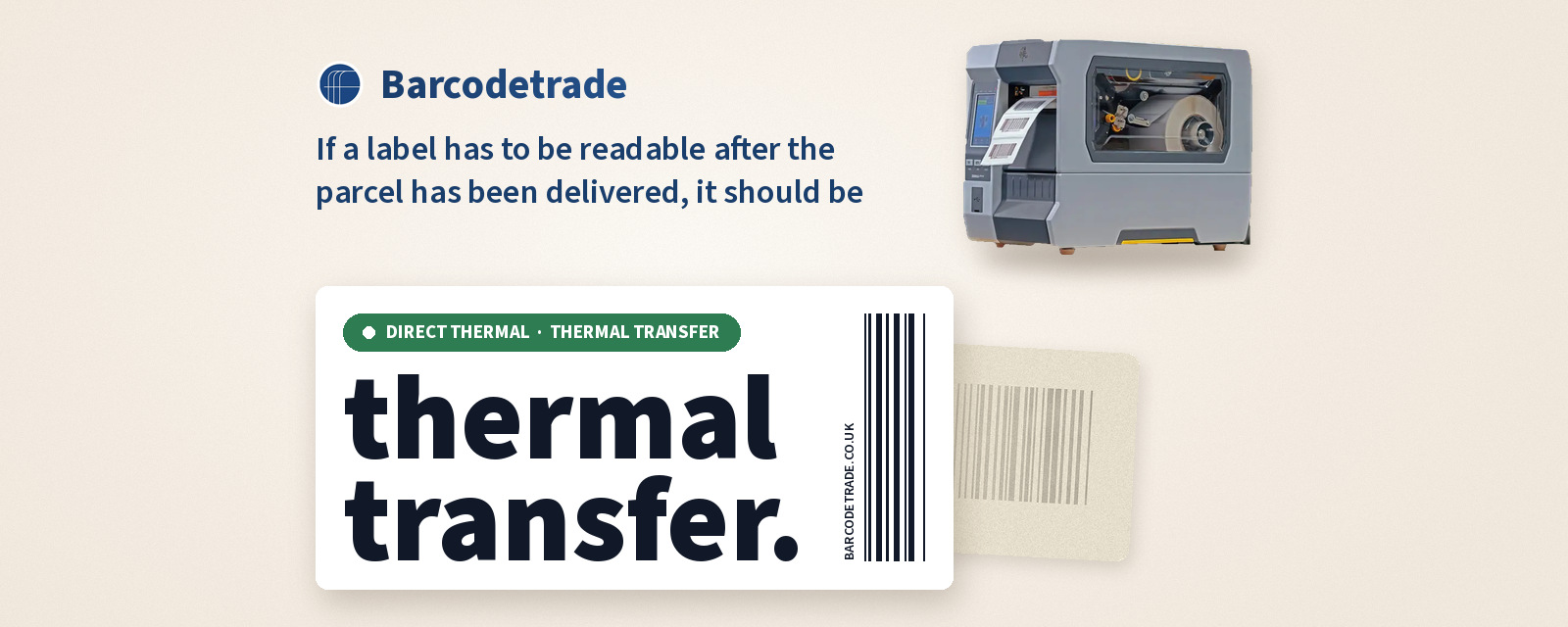
A practical rule: if a label has to be readable after the parcel has been delivered, it should be thermal transfer.
Desktop, mid-range or industrial label printer?
Thermal label printers fall into three broad classes:
Desktop label printers are compact and quiet, built for counters, small dispatch benches, healthcare wards and offices with modest daily volumes. They take smaller label rolls.
Mid-range label printers have metal frames, larger media capacity and faster print engines. They suit busy dispatch areas, goods-in and light manufacturing.
Industrial label printers are built for continuous, high-volume printing in distribution centres and production lines, with the largest roll and ribbon capacity, robust mechanisms and wider print widths.
Mobile label printers add on-the-spot printing for shelf-edge labels, returns and yard work.
Connectivity and integration
Enterprise label printers connect by USB, serial, Ethernet or Wi-Fi, and many add Bluetooth for mobile use. Network printers driven directly by the WMS or ERP remove the need for a desktop PC. Standardise label templates and firmware so every unit prints the same label identically.
Some thermal transfer printers can also be fitted with RFID encoding, writing data to a tag inside the label while printing the barcode on the surface. If you are weighing up RFID, our guide to RFID readers in 2026 explains how RFID compares with barcode scanning.
How to choose the right thermal label printer
Work through these questions before you specify a printer:
How long must the label last? Short-life points to direct thermal; long-life points to thermal transfer.
Where will it live? Cold stores, outdoor yards and chemical exposure need the right ribbon and synthetic media.
How many labels per shift? Volume decides desktop, mid-range or industrial.
What label width and size? Make sure the print width covers your largest label.
What resolution? Higher dpi for small item labels and dense 2D codes.
How will it connect? Network or wireless printing from your WMS or ERP, or USB to a workstation.
Who will maintain it? Plan printhead care, spares and support from the start.
Printhead care and maintenance
The printhead is the most valuable wear part in any thermal label printer, and most failures are preventable:
Clean the printhead with an approved cleaning pen or swab and isopropyl alcohol whenever you change media, and more often in dusty environments.
Keep the platen roller clean and replace it when it shows flat spots, cuts or glazing.
Use the lowest darkness setting that still produces a good-quality barcode. Excess heat shortens printhead life.
Choose a ribbon at least as wide as the label so the printhead never rubs against bare media.
Recalibrate the media sensor after changing label type.
Faint print, white lines, skipped labels and ribbon wrinkles are early warnings. Our team handles printhead replacement and alignment, sensor recalibration, belt, roller and platen repairs and firmware updates through our repair services.
Refurbish, rent or repair?
Repair keeps a trusted fleet running. Our engineers have serviced more than 15,000 printers and repair desktop, mobile and industrial label printers across thermal, thermal transfer and RFID technologies. See our label printer services.
Refurbish for fleet expansion or renewal. Our refurbishment process covers full assessment, component replacement with quality parts, deep cleaning, firmware updates and comprehensive testing.
Rent for peaks, temporary sites and projects. Our rentals cover compact desktop to heavy-duty industrial models in thermal transfer and direct thermal, pre-configured with labels and ribbons included. For Zebra printers specifically, see Zebra printer rental. Rental fits naturally alongside barcode scanner hire for the same peak.
Buy back and recycle at end of life. Our buy back programme accepts working and non-working units, with data sanitisation and WEEE-compliant documentation.
The sustainability case for keeping printers in service
Every label printer kept in service is one less device made new and one less in the waste stream. Through repair, refurbishment and rental, Barcodetrade has saved more than 950,000 devices from landfill and prevented more than 350,000 kg CO₂e. You can estimate the impact of your own fleet decisions with our CO₂ calculator.
Frequently asked questions
What is the difference between direct thermal and thermal transfer?
Direct thermal printers darken heat-sensitive labels without a ribbon, giving short-life labels such as shipping labels. Thermal transfer printers melt ink from a ribbon onto the label, giving durable long-life labels for assets, products and compliance.
Which is better for shipping labels?
Usually direct thermal: shipping labels are printed on demand, scanned a few times and discarded, and no ribbon is needed.
Do thermal label printers need ink?
No. Direct thermal printers need only heat-sensitive labels. Thermal transfer printers use a wax, wax-resin or resin ribbon instead of ink cartridges.
Why are my labels printing faint or with white lines?
Faint print usually points to darkness or speed settings, mismatched ribbon or media, or a dirty printhead. A white line through every label normally means a damaged printhead dot.
Can one label printer do both direct thermal and thermal transfer?
Many thermal transfer printers can also print direct thermal by running without a ribbon on direct thermal media, so one fleet can cover both label types.
Can I rent label printers for peak season?
Yes. Barcodetrade rents desktop to industrial label printers in thermal transfer and direct thermal, pre-configured with labels and ribbons included.
Talk to a label printer specialist
Whether you need to repair a fleet, add refurbished capacity, rent for a peak or retire old units responsibly, our team will help you choose the right thermal label printer set-up.
Call 01252 511409 or email info@barcodetrade.co.uk to speak to a label printer specialist today.
#Sustainability #CircularEconomy #EWaste #Refurbished #LabelPrinters #Logistics