Zebra TC21 vs TC26: Which Is Right for Your Warehouse?
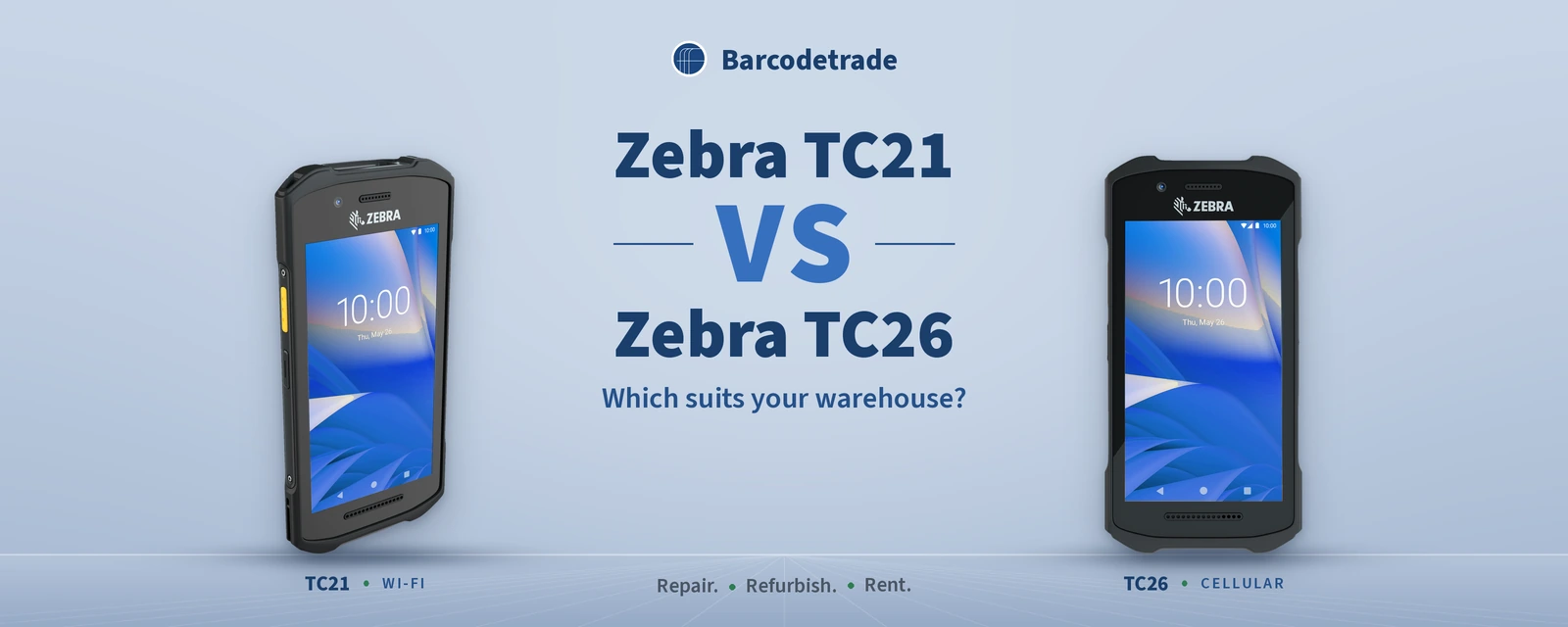
The Zebra TC21 and the Zebra TC26 come from the same family, and that is where most buying questions start. Both are rugged Android mobile computers offered with the same choice of Zebra scan engines, memory, back connectors and batteries. The difference that matters is connectivity: the TC21 is the Wi-Fi model, and the TC26 adds cellular.
That one difference decides where each device works best. This guide compares the Zebra TC21 and TC26 for warehouse and logistics teams, explains how to choose the right configuration, and shows how to source, rent, repair, refurbish and sell back both models through Barcodetrade.
Zebra TC21 vs TC26 at a glance
Zebra TC21 | Zebra TC26 | |
|---|---|---|
Connectivity | Wi-Fi (WLAN), Bluetooth and NFC | Cellular (WWAN), plus Wi-Fi, Bluetooth and NFC |
Best suited to | Workers inside the four walls: warehouses, retail stores and back offices | Workers who move beyond Wi-Fi range: couriers, field service and direct store delivery, as well as the warehouse |
Scan engine options | SE4710, SE4100, or no scanner (13 MP camera) | SE4710, SE4100, or no scanner (13 MP camera) |
Memory options | 3GB/32GB or 4GB/64GB | 3GB/32GB or 4GB/64GB |
Back connector options | 2-pin, 8-pin, or none | 2-pin, 8-pin, or none |
Battery options | Basic, standard or extended | Basic, standard or extended |
Product page |
What the Zebra TC21 and TC26 have in common
The two models come from the same family, so the choice is rarely about the platform itself. On our Zebra TC21 page, the TC21 is described as a rugged Android touch computer with a large 5-inch high-definition touchscreen, an octa-core processor (1.8 GHz or 2.2 GHz), Wi-Fi, Bluetooth and NFC. The Zebra TC26 is the same family with cellular added.
Both models are offered with the same core choices:
Scanning. The SE4710 1D/2D imager for scan-intensive work, the SE4100 1D/2D imager for light to moderate scanning, or no dedicated scanner, using the 13 MP rear camera for occasional barcode capture.
Memory. 3GB RAM with 32GB storage, or 4GB RAM with 64GB storage for heavier enterprise applications and multitasking.
Connectors. A 2-pin or 8-pin back connector for trigger handles and multi-slot charging cradles, or no back connector.
Battery. Basic, standard and extended battery configurations.
Cameras. A 13 MP rear camera on every configuration, with a 5 MP front camera on most.
The TC21 runs Zebra Mobility DNA. On the TC21 page, that includes StageNow staging, Enterprise Home Screen, DataWedge and OEMConfig for EMM support, which makes the devices straightforward to stage and manage as part of an MDM-controlled fleet.
Rugged design for warehouse work
Both devices are built for working environments rather than the desk. Our TC21 page lists IP67 sealing and a 4 ft / 1.2 m drop to concrete rating (5 ft / 1.5 m with the optional protective boot), as stated in Zebra's specification sheet. Our TC26 product listings describe the TC26 as drop-tested to concrete, water-resistant and dust-proof, and built to survive environments that would destroy consumer devices.
For a warehouse team, that means a compact, lightweight device that can be carried in one hand across receiving, picking and packing, without the fragility of a consumer phone.
The real difference: Wi-Fi or cellular
The TC21 is the Wi-Fi-only model for workers inside the four walls. If every task happens on a site with reliable Wi-Fi coverage, such as a warehouse, a distribution centre, a store or a back office, the TC21 gives you everything you need for scanning, inventory and stock checks.
The TC26 adds single WWAN cellular connectivity, so field teams stay connected outside Wi-Fi range. Our TC26 listings describe it in use for courier delivery, proof of delivery, field service and direct store delivery, as well as receiving, picking and packing in the warehouse. A driver can scan a parcel and capture a high-resolution photo with the 13 MP camera to record its condition at the point of delivery.
How to choose between the TC21 and TC26
Start with where the work happens, then match the configuration to the task.
1. Map where each user works. If a role stays inside the building, the Zebra TC21 is the natural fit. If the role leaves the site, or the site has areas without dependable Wi-Fi, such as a yard or a loading area, choose the Zebra TC26.
2. Match the scan engine to the scanning load. For high-volume picking, receiving and inventory counts, choose the SE4710 imager. For light to moderate scanning, the SE4100 does the job. For roles that only scan occasionally, a configuration with no dedicated scanner uses the 13 MP camera instead.
3. Size the memory to the applications. Choose 4GB/64GB where users run demanding enterprise applications, switch between several applications or capture lots of photos. 3GB/32GB configurations are available where the application load is lighter.
4. Choose the connector for your accessories. If your team uses trigger handles for intensive scanning, or multi-slot charging cradles in the back room, specify the matching 2-pin or 8-pin back connector so the devices fit the accessories you already run.
5. Pick the battery for the working pattern. Basic, standard and extended batteries are available across both ranges. Match the battery to how long each device is away from its cradle.
6. Consider a mixed fleet. Many operations run both models: TC21 devices for warehouse staff and TC26 devices for drivers and field teams. Because the two come from the same family, with the same scan engine, memory and back connector options, a mixed fleet is simple to plan and support.
Source configured TC21 and TC26 devices
Our Zebra TC21 and Zebra TC26 pages list each configuration by part number, so you can choose the exact scan engine, memory, connector and battery your workflow needs. For example, the TC210K-01A422-A6 is a TC21 with the SE4710 imager and 4GB/64GB, and the TC26BK-11A422-A6 is its cellular TC26 counterpart. Request a quote on any configuration, or browse our live stock of mobile computers.
Refurbishment is a strong option for fleet growth. Our refurbished TC21 devices go through full testing and A/B grading, and can be supplied pre-configured and MDM-ready. Our refurbishment process covers a complete assessment, component replacement, deep cleaning, software updates and comprehensive testing.
Rental for peaks and projects
If you need extra TC21 or TC26 capacity for a seasonal peak, a stock count or a project, rental adds devices without taking units away from other teams. Our mobile computer rentals include Android units with integrated scanning, rugged enterprise devices and 4G/5G connectivity options, and every unit is fully configured and tested before dispatch. Warehousing and logistics teams use rental for temporary inventory and shipping spikes. If the same period needs extra handheld scanners, see our guide to barcode scanner rental for Q4.
Expert Zebra repair for TC21 and TC26 fleets
A TC21 or TC26 that still matches the work is worth keeping in service. Our repair team at the Farnborough service centre provides expert Zebra repair for rugged mobile computers, including the TC21. Our mobile computer services cover expert diagnosis and repair for all mobile computer types, including:
Screen and digitiser replacement, with professional touch calibration
Housing repairs and full cosmetic restoration, maintaining the original rugged specifications and IP ratings
Battery and charging repairs
OS updates, security patches and custom imaging, with devices configured for your applications and settings
All devices undergo secure data wiping procedures before repair work begins, and we follow GDPR compliance standards. To book a repair, call 01252 511409 or email info@barcodetrade.co.uk to request an RMA, then send the device to our Farnborough service centre.
Buy-back for units you no longer need
When you standardise on one model, reassign devices or have surplus units, our buy-back programme buys rugged mobile computers in any condition, including TC21 units you no longer need. Send us your inventory for a no-obligation valuation, and we arrange collection and handle certified data destruction. Devices that cannot be reused are recycled responsibly through our ITAD service.
The sustainability case for a circular TC2x fleet
Every mobile computer gets a second life through our circular approach: sell, refurbish, rent, repair, buy back and recycle. Choosing refurbished TC21 and TC26 devices, repairing the ones in service and renting for peaks keeps capable hardware working instead of sending it to landfill. Through repair, refurbishment, rental, buy-back and responsible ITAD, Barcodetrade has saved 950,000+ devices from landfill and prevented 350,000 kg CO₂e. Estimate your own impact with our CO₂ calculator.
Talk to us about Zebra TC21 and TC26 devices
Barcodetrade has provided professional barcode equipment solutions for UK businesses from Farnborough since 2005. Whether you need Wi-Fi TC21 devices for the warehouse floor, cellular TC26 devices for drivers, or a mixed fleet, we can help you choose the configuration, supply it, rent extra units, keep devices running with expert Zebra repair, and take back the ones you no longer need.
Call 01252 511409, email info@barcodetrade.co.uk or contact us.
Frequently asked questions
What is the difference between the Zebra TC21 and TC26?
The Zebra TC21 is the Wi-Fi-only model for workers inside the four walls, such as warehouses, retail stores and back offices. The Zebra TC26 adds cellular connectivity for workers out in the field. Both come from the same family, with the same scan engine, memory, connector and battery options.
Which is better for a warehouse, the TC21 or the TC26?
For teams that work entirely inside a site with reliable Wi-Fi, the Zebra TC21 is the natural choice. Choose the Zebra TC26 for roles that leave the site, such as drivers and field teams, or for areas without dependable Wi-Fi. Many operations run both in one fleet.
Which scanners do the Zebra TC21 and TC26 use?
Both are offered with the SE4710 1D/2D imager for scan-intensive work, the SE4100 1D/2D imager for light to moderate scanning, or no dedicated scanner, using the 13 MP rear camera for occasional barcode capture.
Are the Zebra TC21 and TC26 rugged?
Yes. Our TC21 page lists IP67 sealing and a 4 ft / 1.2 m drop to concrete rating (5 ft / 1.5 m with the optional protective boot), per Zebra's specification sheet. Our TC26 listings describe the TC26 as drop-tested to concrete, water-resistant and dust-proof.
Can you repair and refurbish Zebra TC21 and TC26 devices?
Yes. Our Farnborough service centre provides expert Zebra repair for rugged mobile computers, including screen and digitiser replacement, housing repairs and battery and charging repairs. Our refurbished TC21 devices go through full testing and A/B grading and can be supplied pre-configured and MDM-ready. Call 01252 511409 or email info@barcodetrade.co.uk.
Can I rent a TC21 or TC26, or sell back units I no longer need?
Yes. Rental for peaks and projects is listed on our TC21 page, and our mobile computer rentals include rugged Android units with integrated scanning and 4G/5G connectivity options, fully configured and tested before dispatch. Our buy-back programme buys rugged mobile computers in any condition, with collection and certified data destruction.